GPT-IMG logoGPT-IMG

Colorize black and white photos

Drop in a scan or a phone shot of an old print. Damage is repaired and natural color is added in about 30 seconds, or pick Restore only to keep the original black-and-white or sepia tone.

Upload an old black-and-white photo to repair scratches, cracks, and missing patches and add natural color, with faces and framing kept. 1K to 4K output.

Repair + ColorizeFaces KeptBefore / AfterUp to 4K

The photo restorer in short

Updated

Cost per photo
15 credits at 1K, 20 at 2K, and 30 at 4K, the same in both modes. A new account starts with 30 free credits, enough for two 1K restores. A job the provider blocks is refunded, up to three times a day.
What you upload
One JPG, PNG, or WebP up to 10 MB: a flatbed scan or a straight-on phone photo of the print. The result keeps the aspect ratio of your upload and downloads as a PNG.
What stays the same
Faces, poses, clothing, framing, borders, and handwriting. Nothing is added to or removed from the scene; only damage is repaired and, in the color mode, color is added.
What it cannot do
Know the real colors. Skin, eyes, and clothing are given plausible colors for the period, not the ones in the room that day. Parts of a face that damage has wiped out are rebuilt, so check them against the original.

What the restorer fixes, tested on real archive photos

Every example below is a public-domain photograph from the 1860s to the 1910s, run through this page on 2 November 2026. Nothing was retouched afterwards.

Portrait with large flakes of missing emulsion next to the restored copy with the gaps filled and the sepia tone kept
GPT-IMG

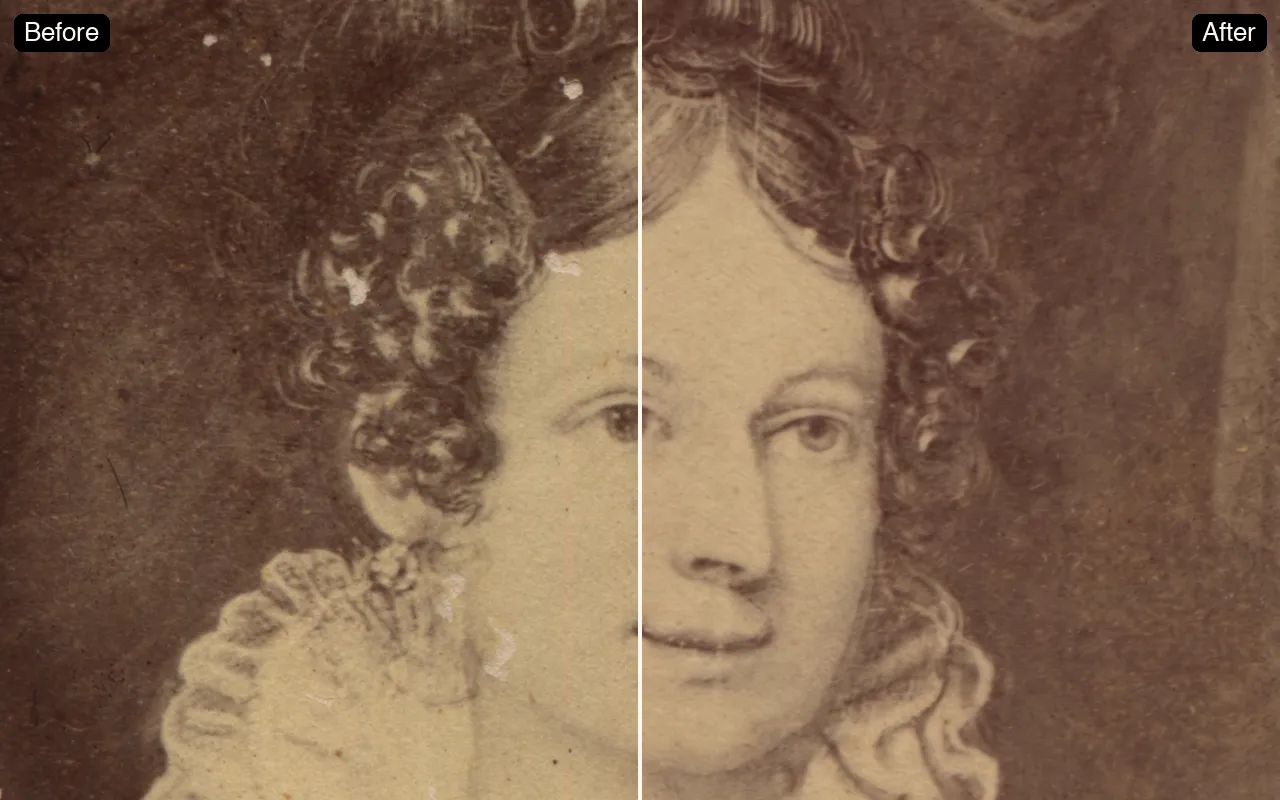
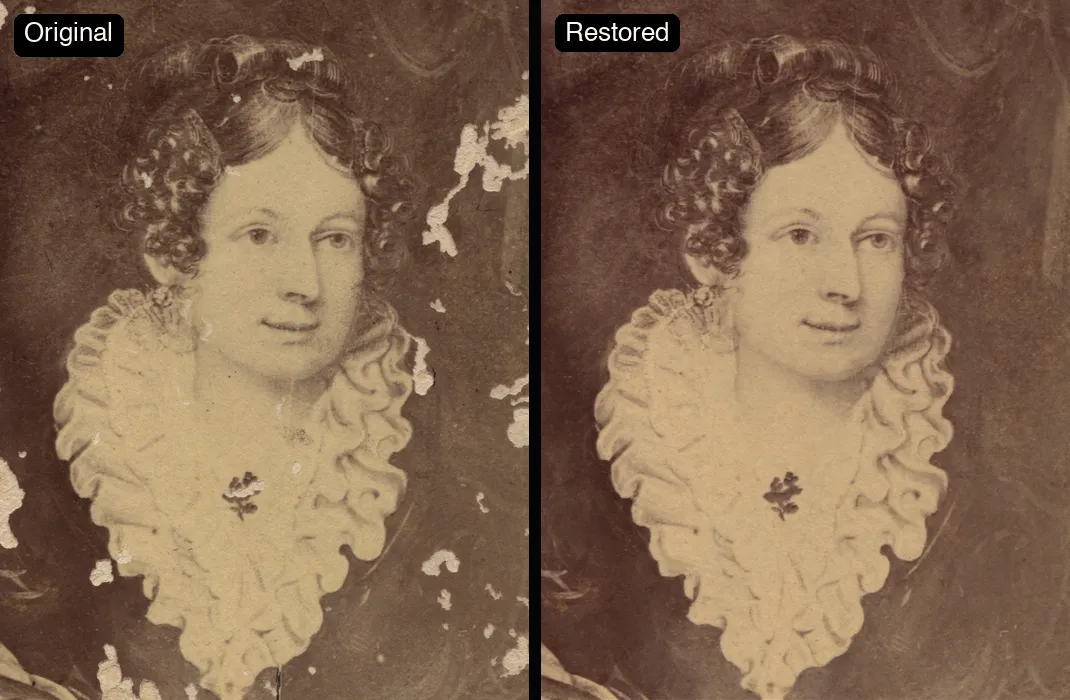
Flaking, cracks, and missing patches are filled in

This portrait had lost whole flakes of emulsion around the head and collar. The gaps are rebuilt from the surrounding texture, the stains are lifted, and the drawing of the face is left exactly where it was.
Scratched 1910s glass-plate photo of a baseball player, left half original, right half colorized with the black border and pencilled caption kept
GPT-IMG

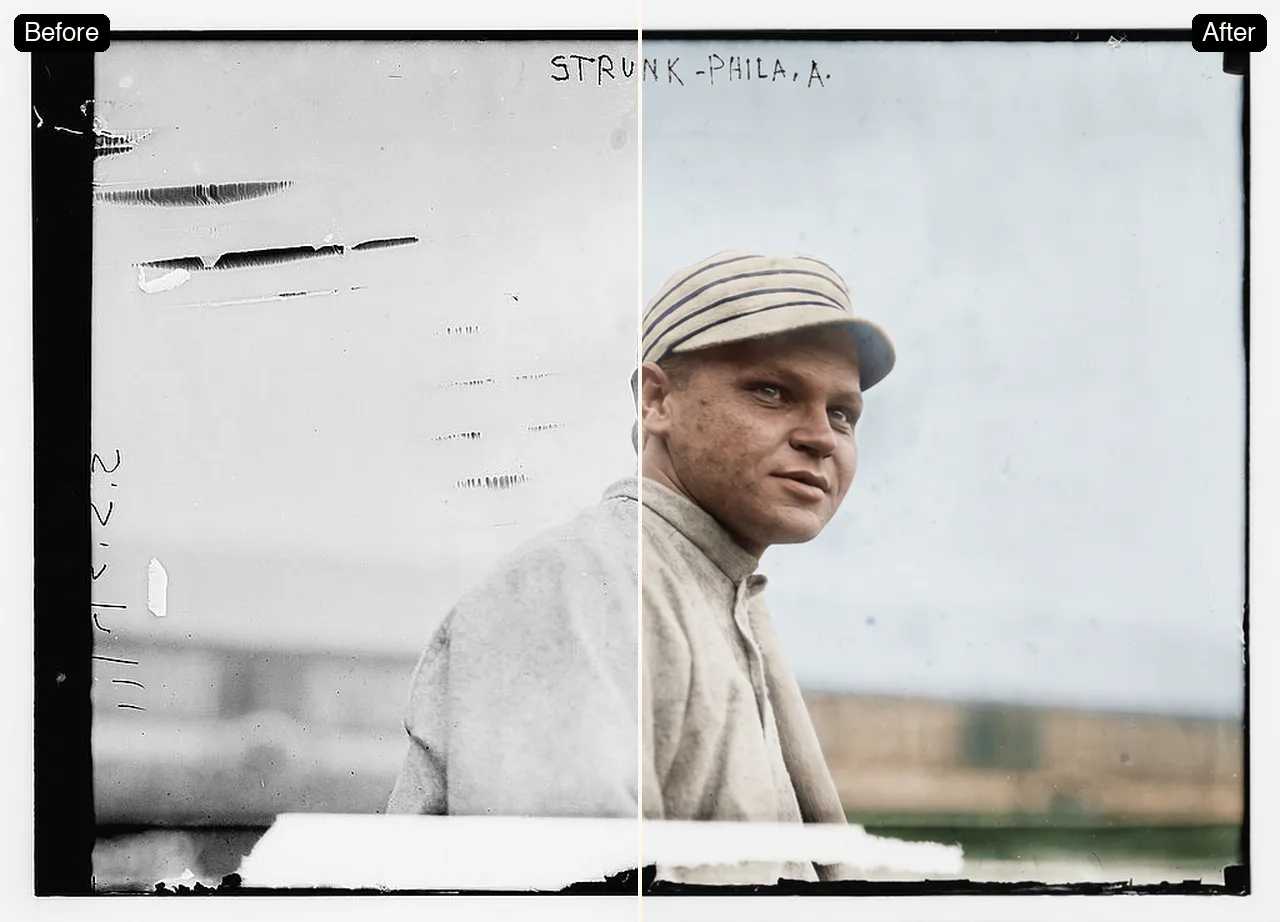
Borders, captions, and handwriting survive

A 1910s glass-plate negative with scratches along the left edge and a pencilled name across the top. After colorizing, the scratches are gone but the black border, the handwritten caption, and the out-of-focus ballpark behind him are all still the original photograph.

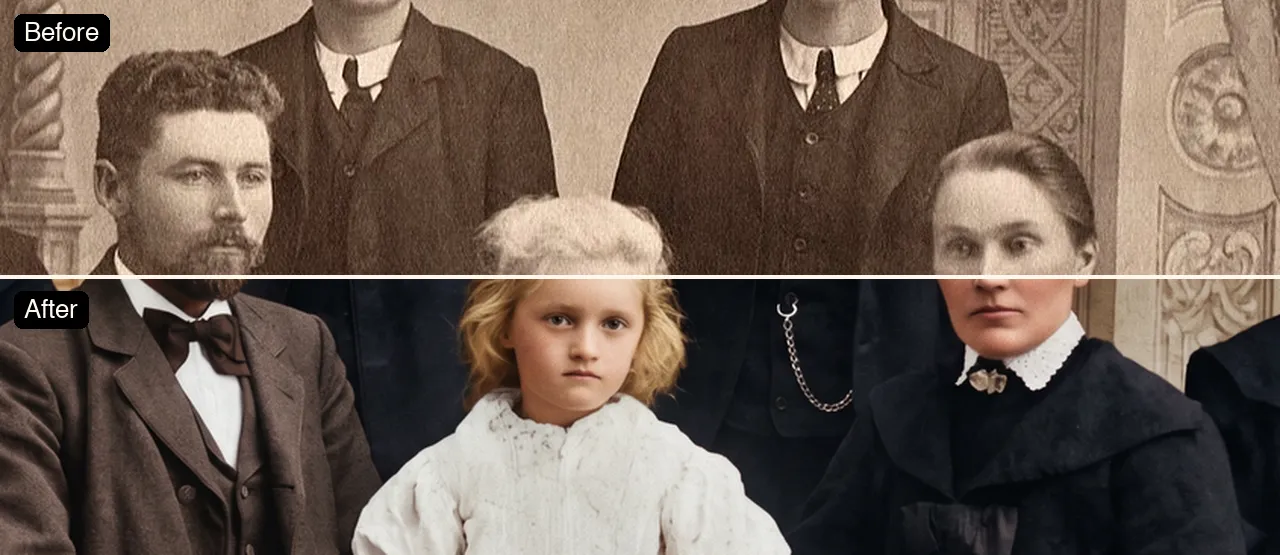
Close crop of a 1906 family portrait, sepia original above and colorized below, with the father, daughter, and mother keeping their faces
GPT-IMG

Every face in a group keeps its own look

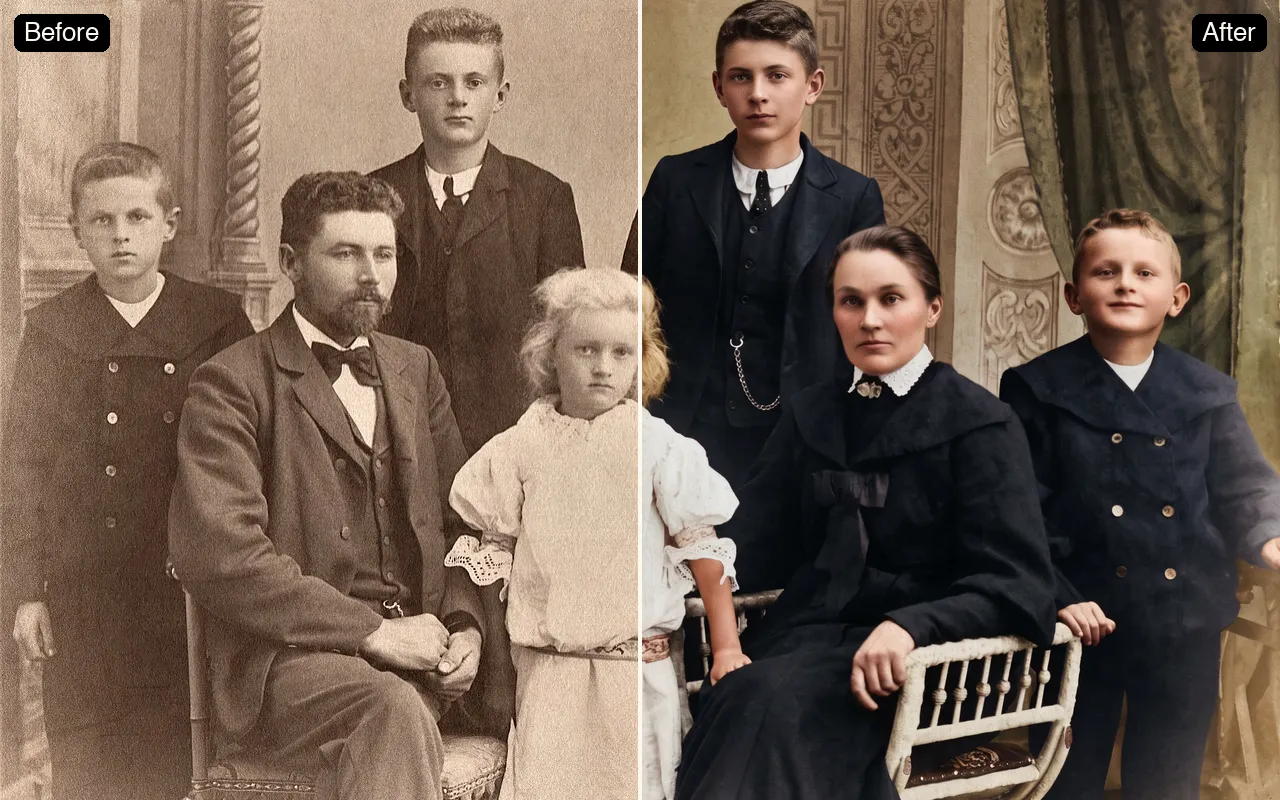
In an eight-person family portrait from 1906 the father keeps his beard shape, the mother her centre parting, and the youngest girl her pale curls. Clothing gets plausible period colors rather than one tint washed over the whole frame.

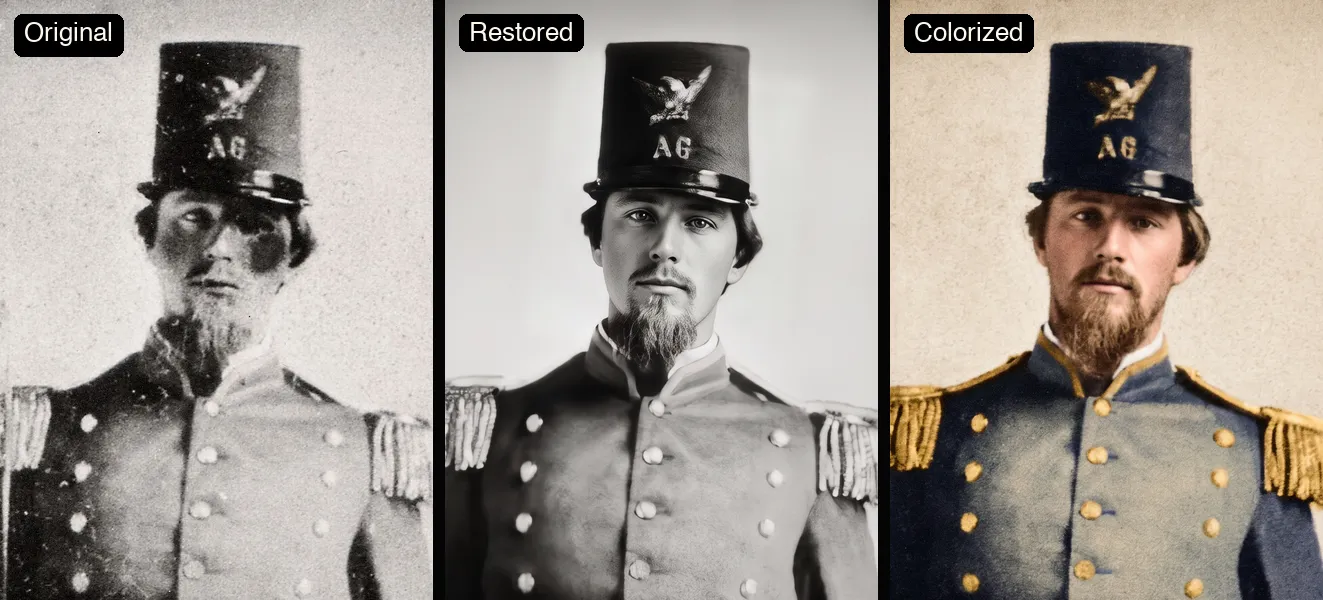
Tintype soldier with corrosion over the eyes, shown as original, restored in black and white, and colorized
GPT-IMG

A face that damage has erased is rebuilt, not recovered

This tintype soldier had dark corrosion across both eyes. The restorer draws a believable face in that space, keeping the hat, beard, and uniform, but no tool can know what the hidden parts really looked like. Treat a heavily damaged face as an informed guess and keep the original next to it.

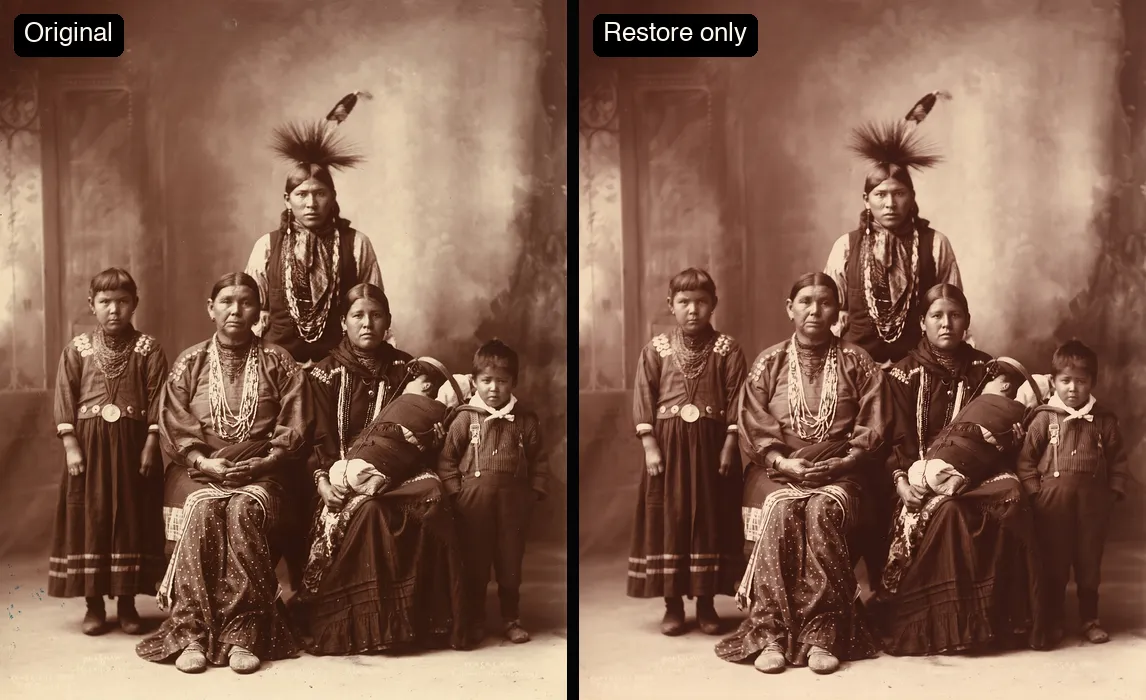
An 1899 sepia studio portrait of a Sauk family beside the restore-only version in the same brown tone
GPT-IMG

Restore only keeps the sepia

Switch to Restore only and the repair happens without any color: an 1899 studio portrait comes back cleaner and sharper in the same warm brown it was printed in. Use it for archives, framing, or when the family would rather not see a guessed palette.

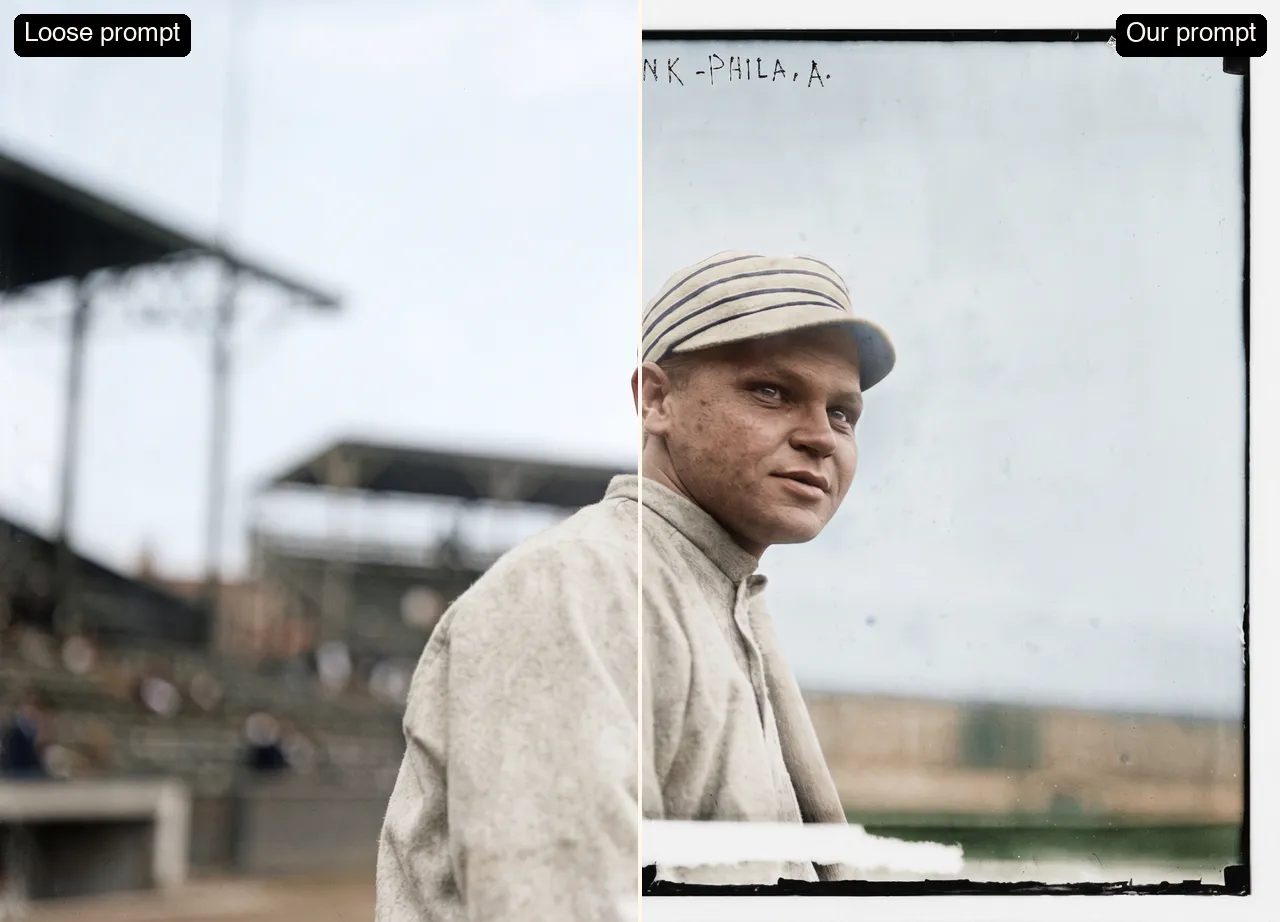
The same ballplayer colorized twice: a loose prompt invents a stadium and drops the border, the fixed prompt keeps the original photo
GPT-IMG

Why there is no prompt box

Asked loosely to colorize, the underlying model replaced the empty background of the ballplayer photo with an invented stadium and cropped the border away. The fixed instruction this page sends tells it to keep the background, frame, writing, and grain, which is the version on the right.

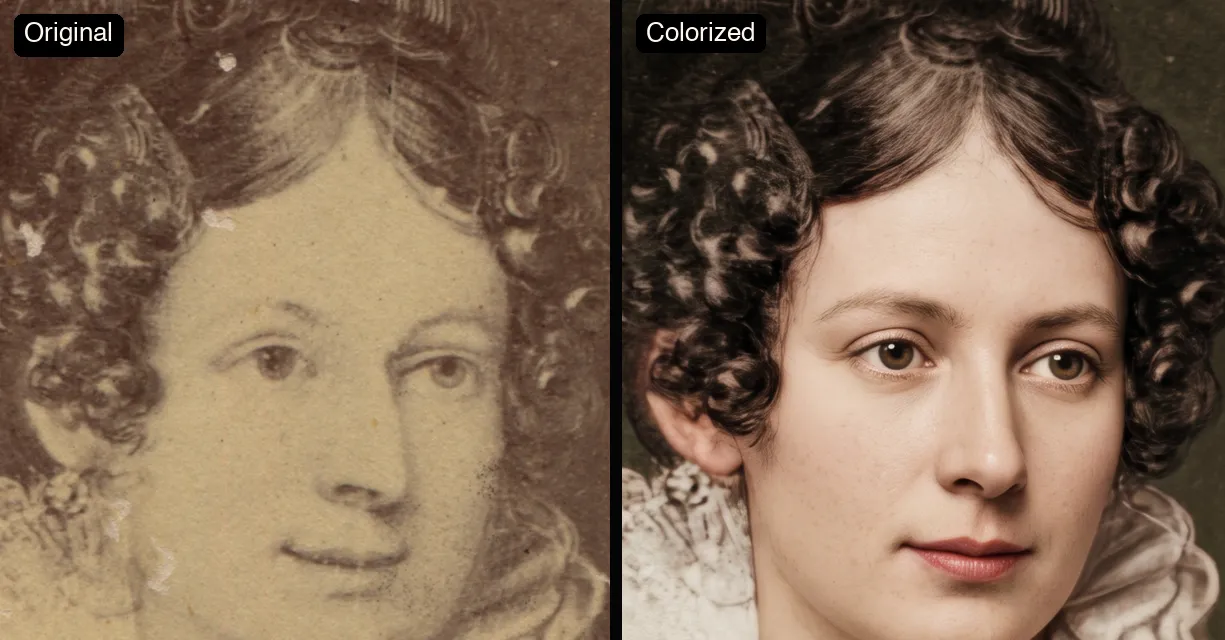
A badly flaked face beside its colorized version, which looks younger and smoother than the source
GPT-IMG

Where colorizing can go too far

On a face drawn from very little information, color can make it look younger and smoother than the source, closer to a modern photo. It happened on this badly flaked portrait. When that matters, run Restore only, or compare with the slider before you download.

Choose Your Plan

Upgrade for larger monthly credits, faster generation, and commercial-ready output.

Free

Free

Try GPT-IMG with signup credits

Get Started For Free

  • 30 signup credits, valid for 30 days
  • Prompt gallery access
  • Generation history
  • Personal, non-commercial use
  • Watermarked images

    Pro

    Save 33%
    $12.67/month
    Billed annually · $152/year

    For regular creators and light production use

    Generate 50–125 images / month

    Upgrade to Pro

    • 1,250 credits every month
    • Monthly and yearly billing
    • All models, incl. GPT Image 2.5 and Nano Banana 2.1
    • Up to 4K generation
    • No watermarks while active
    • Commercial license

      Ultimate

      PopularSave 33%
      $26/month
      Billed annually · $312/year

      For high-volume image generation workflows

      Generate 120–300 images / month

      Upgrade to Ultimate

      • 3,000 credits every month
      • Monthly and yearly billing
      • All models, incl. GPT Image 2.5 and Nano Banana 2.1
      • Up to 4K generation
      • No watermarks while active
      • Commercial license

        Need more without a subscription?

        Buy credits once and use them whenever you need. Purchased credits never expire.

        300 Credits Pack
        One-time purchase · no watermarks while purchased credits remain
        $4.99/ 300 credits

        Never expires

        Generate 12–30 images

        1,800 Credits PackPopular
        One-time purchase · no watermarks while purchased credits remain
        $26.99/ 1,800 credits

        Never expires

        Generate 72–180 images

        FAQs

        Practical details for this generator page.

        Start with the photo colorizer

        Use the prompt panel above with the same account, credits, and history workflow.

        Start Generating